Wednesday, May 31
Welcome to MAGD220
- Class 1
- Syllabus
- D2L For other Online
- Lab, Materials, Software, Links
- Short Presentation: Work Samples, Resources, ETC
- Digital Foundations Chapter 1 - Metaphor
- Break
- Class 2
- Drawing Exercises : sketchbook, pencils
- Blind Contour
- Contour Line
- Outline VS. Contour
- Digital Foundations Exercises
- Digital Foundations Chapter 2 - Fair Use, Creative Commons, and Image Search
- Digital Foundations Chapter 3 - Symmetry and Principles of Design
- Intro Illustrator, Searching, Composition
- Design Elements and Priniciples:
- Dynamic Composition (Chp. 1)
- Positive/Negative Space (Chp. 3)
- Symmetry and Assymetry (Chp. 3)
- Tension, Emphasis, and Pattern (Chp. 3)
- Break
- Class 3
- Drawing Exercises : sketchbook, pencils
- Blind Contour and Continuous Line - Warm Up
- Extended Contour Line Drawing
- Digital Foundations Exercise - Pen Tool
- Digital Foundations Chapter 6 - Line Art and Flat Graphics
- In Class Drawing Assignment - Countour Drawing to Vector
Class 1
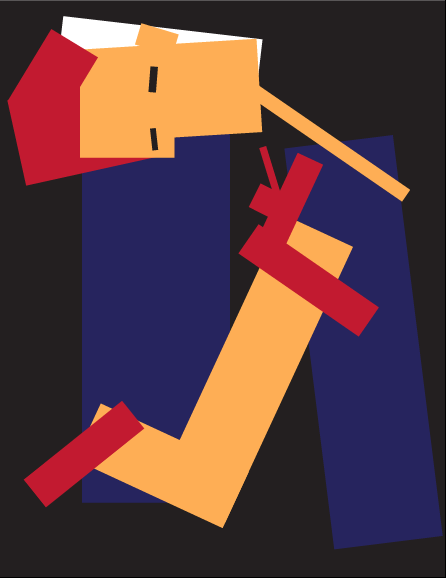
Illustrator Introduction
General introduction to software will be given, inlcuding common tools and general layout of the workspace.
Create a Dynamic Composition using only basic rectangles. Investigate how a composition can be created that is dynamic because it allows the viewer's eye to move. Consider how color can create complex forms through overlapping forms. Aesthetically interesting art and design usually demonstrate an understanding of how composition can be used effectively. The chapter introduces some important computer, Art, and design vocabulary that will be used throughout the semester.
This exercise will not be collected. It is meant to introduce some basic functionality of the primary software application we will be working with in MAGD220.
Digital Foundations Chapter 1 - Metaphor
Class 2
In Class Drawings: Mark Making
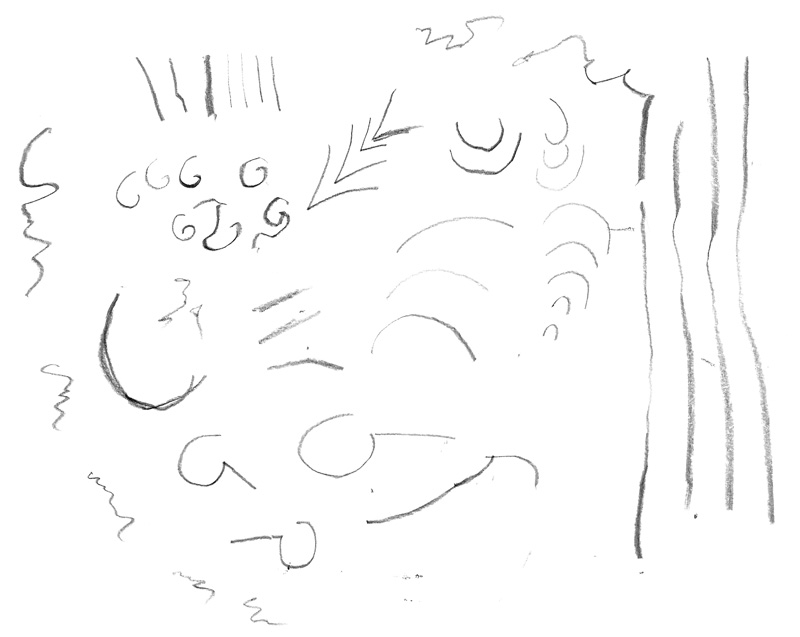
In Class Drawings with Blind Contour and Contour Line
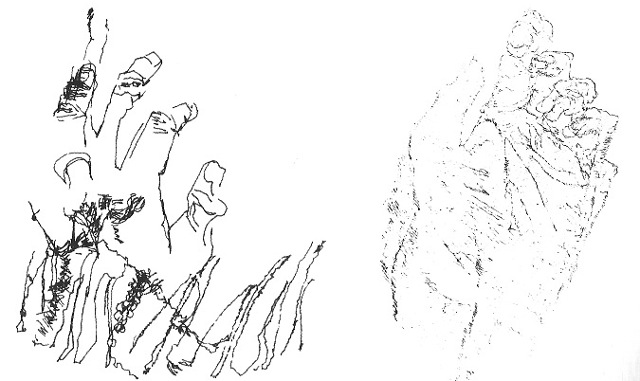

Illustrator Exercises and Tutorials
Digital Foundations Chapter 1 - Metaphor: Focus: Raster VS. Vector
- Google Image Search (and advanced settings)
- Creative Commons Licenses (Lawrence Lessig - Free Culture)
- Wikimedia Commons
- Getty Images
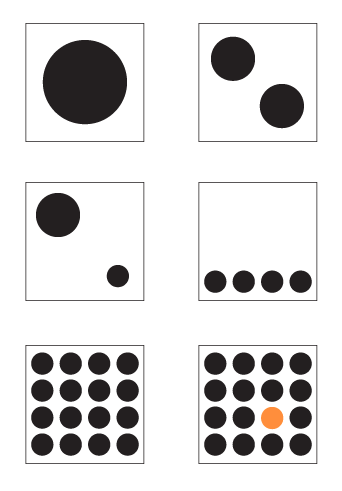
- Elements and Principles of Design
- Symmetry, Negative Space, Pattern (Gestalt)
- Extra Time: Image Search, study design principles with basic shapes
Class 3
In Class Drawings
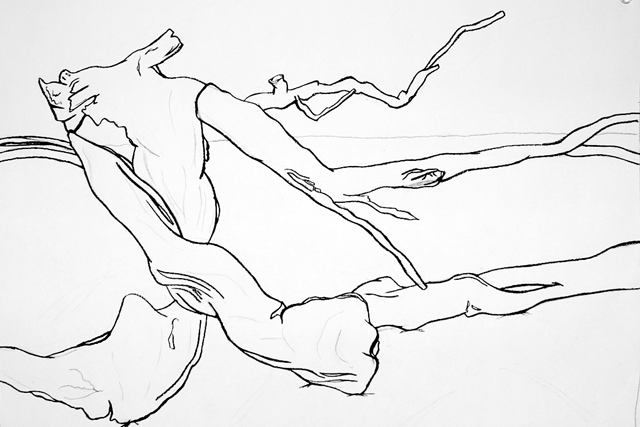
- Warm Ups: Blind Contour - 2x3min & Continuous Line Contour - 2x3min
- Extended Countour Line - 2x15min
Illustrator Exercises and Tutorials
Digital Foundations Chapter 6 - Line Art and Flat Graphics
If there are issues with the Digital Foundations website not loading, please use the following link to access our own mirrored version of the chapter: Chapter 6.
While working on Chapter 6, pay close attention to ways that you can use the Pen Tool for positioning efficiently and creating smooth bezier curves. A concept worth considering is "Prime Point Placement" (adapted from Von Glitschka's Vector Basic Training) - where there is the best spot possible to place your anchor point. Although you could probably put an anchor point anywhere you want, it is to your advantage to find the best placement possible. Prime Point Placement means that you have only the necessary anchor points to complete the path and that when you create a curve it is continuous. These tasks take practice, and so when you begin using the Pen Tool, keep them in mind so you can develop good habits.
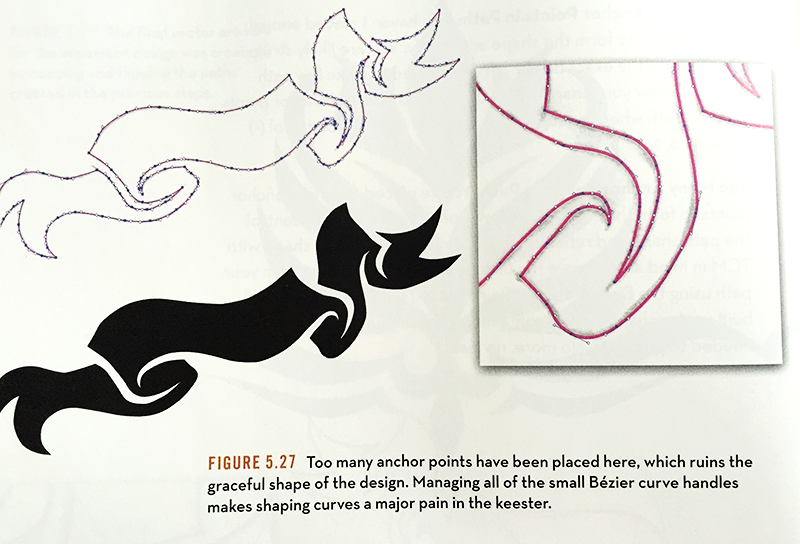
common mistake of too many anchor points!
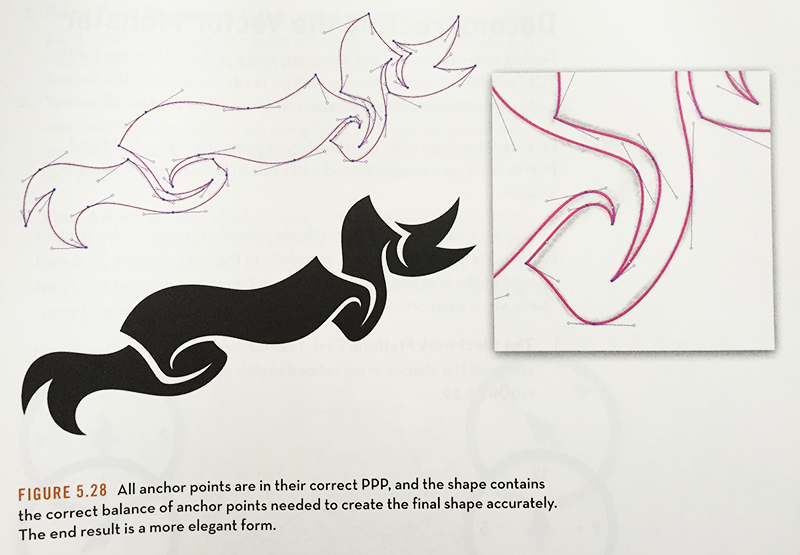
Drawing Assignment: Countour Line Drawing to Vector
This assignment will be collected via d2l dropbox
Student drawing submissions will be updated to the Class 3 Assignment page and presented for critique and discussion during Class 4.
- Use contour line drawings from sketches made during the first portion of class
- Consider composition and how the content will fit in picture plane
- If needed, clean up and complete contour line drawing
- Brief demonstration on using Digital Scanners
- Scanner should be attached to each machine, check power etc
- Use Application : Image Capture to scan
- Scan settings: Black and White, 300ppi
- Name file logically: 'lastname_class3_contourdrawing.jpg'
- File format: JPEG
- Choose location to save file logically
- Adobe Illustrator
- New File, Preset: Letter Sized Document
- File -> Place : select your scanned image
- Lock layer with template image, Create new layer for drawing
- Pen Tool Only
- Position anchor points, redraw contour line with vector graphics
- "Closed Path" vs. "Open Path"
- Draw with detail
- If time permits, experiment with stroke characteristics
- Black and White Only, Contour Line Drawing
- Completing Assignment
- Hide source drawing, only vector layer visible
- File -> Save For Web
- PNG-24
- No Transparency
- Examine dimensions and projected filesize
- Name file logically: 'lastname_class3_contour.png'
- Submit PNG image of vector drawing
- d2l dropbox
This drawing assignment builds off of our work drawing with contour line earlier in the class session. There will be plenty of time to develop and complete your drawing. It is important to keep in mind that a good quality source drawing, your sketch for example, is very helpful for a good quality vector drawing. It is possible that some students may have enough time to do multiple drawings by repeating the process multiple times. You should use your class time, if you complete one drawing early, continue drawing and practicing the workflow we have established in this class session: Sketch -> Scan -> Place -> Trace -> Export