Class 10 Thurs Feb 16
- In-Class Drawing Assignment
- Demo: Finalizing and Preparing Project 1 for Submission
- Project 1 Work
- Assignments:
- Reading: Manovich pp. 62-87
- Finalize and Print Project 1
- Announcements:
- Class 10 - Open Work Session, Profesor at CAA
- Time Wasters:
- Archival Game Emulations - MS-DOS & Internet Arcade
Class 10 In Class Drawing Assignment
This drawing assignment will be done individually during class today.
- Drawing Subject: Plant/Object with Texture
- Draw - Pen/Pencil on Paper in sketchbook
- Contour Line Drawing
- Scan Drawing, Use "Image Capture" in lab or similar
- Trace Drawing with Pen Tool - Choose : Shape VS Contour
- Use a texture or pattern for the fill of your drawing (canvas here and here as example)
- Scale, Crop, Edit, Considering Composition and "Rule of Thirds"
- Save For Web as PNG-24: "lastname_class10_contour.png"
- Submit one PNG file to the D2L Dropbox for Class 10 or via Airdrop in the lab
- Class 10 Independent Drawing Assignment Examples Page
- Spend only 45-60min on In-Class Assignment
Project 1 Notes and Final Work Sessions
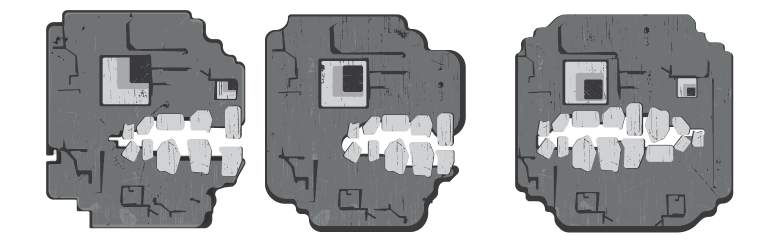
To finalize your work, you will need to generate multiple views of your "character". The goal for this portion of the project is not to have to start over from scratch for each additional view. Use operations like copy/paste in the same way you did when developing different versions of the illustration. If you have general shapes - as layers at the bottom - then you can reuse those and focus your attention on making adjustments to the location/perspective of the details. If your "character" contains the entire figure (arms/legs/etc) then you should focus the alternate views down to the face or head. Our alternate views will simulate simple animation like rotation, movement, or other general state changes. They will reflect different perspectives that could be used in for other parts of the theoretical game. The two views required in the project are Frontal and Profile.
Project 1 Work Independently
Project 1 will be collected at the beginning of the next class session. It is imperative that you use this independent work time to move your project forward. Depending on what you have done so far, you should be refining two views of your "Character". These include frontal and profile but could also be 3/4 or other rotation. You are also encouraged to consider versions of your character that would reflect animation or state changes.
Project 1 Layout
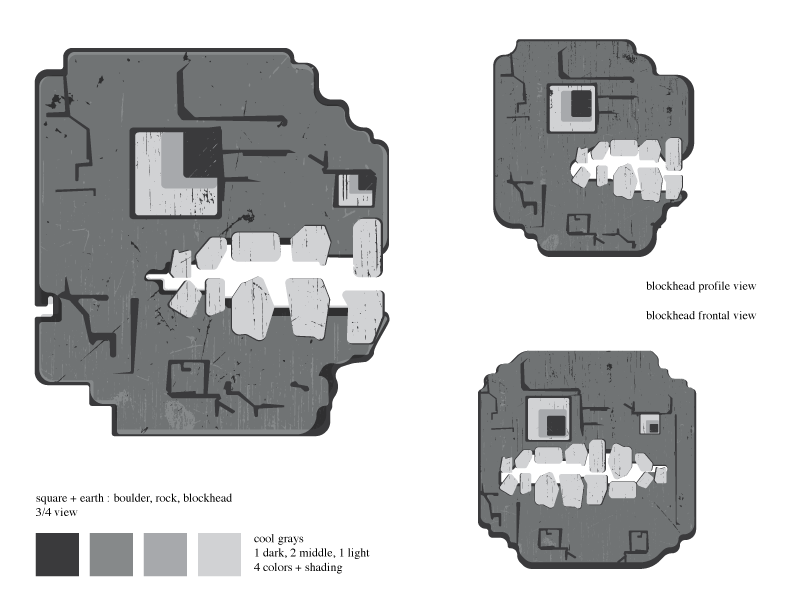
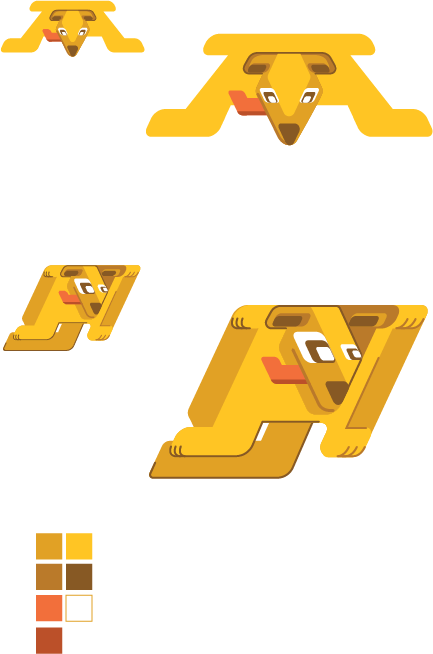
There is a template file that can be used for preparing your project for printing. Ideally you should copy/paste or move your character designs into the template to prepare a print presentation. During Class 11 we will collect work and talk about preparing the other images for submissions.
Project 1 Templates ZIP Download
Printing
You will need to generate a high quality photo print of your project for our next class. You should print copy of your work that uses the template mentioned above. You can print from a PDF or AI - but normally printing services will require a PDF. Paper type is your choice (typically from glossy, matte, or semi-gloss/luster). You have two options on campus for printing - both of which use Purple Points.
- Arts Media Center (AMC) - CA16, by appointment, sign-up on door or ask, usually only available during regular "open lab hours" for the department, print job in coordination with printing monitor (usually an Art/Design/MAGD student)