Wednesday June 14
- Class 19
Demo and In Class Drawing Assignment- Project Work Time and Individual Meetings
- Project 3 Finalizing, Printing, Submission
- Break
- Class 20
- Project 3 Critique and Discussion
- Break
- Class 21
- Drawing Exercise - animation principles
- Animation Principles and After Effects
- Introduction Project 4 : Animation
- Assignments:
- Prepare Assets for Animation
- Review software and storyboard notes
- Import Assests and Begin Project 4
Class 19
Project 3 Work Session, Individual Meetings, Submission, and Printing
During the first portion of class, students will meet briefly with the professor and then work to complete Project 3. As the work is completed, it should be submitted online and those files will be printed for later critique and discussion.
Class 20
Project 3 Submission, Critique and Discussion
Work will be collected in the Project 3 Dropbox. You will need to submit one PDF and one PNG. After submission, the work will be downloaded and prepared for critique and discussion.
Topics for consideration during critique:
- Visual Hierarchy: Title, Interface, Background
- Design principles and consistency with style, Unity
- Lettering legibility
- Title screen layout: stylistic and aesthetic relationship with game
- Usability, Potential for Motion/Movement, etc
For critique we will work as a group to generate comments and feedback related to the issues listed above. If needed, the artist responsible for the work can clarify or answer questions. Our focus for this critique is more on response to the work than on the intent behind it.
Class 21
Drawing Exercise: Storyboard
Some storyboard paper will be avialable in class. You may also create some of your own storyboards in your sketchbook. The purpose of a story board is to generate large thumbnail sketches that help to establish how something will look at specific points of a time-based project. Our storyboards will be fairly simple in nature. Some storyboards will be printed for you to use, but can be found here, or drawn in a sketchbook.
- Draw a typographic character
- Pick a letter - any letter
- We will use these thumbnails/storyboard for reference later on or next class
- Bouncing
- Each storyboard image should show the letter moving within the frame
- Letter should hit the edges of the frame
- Letter bouncing around the composition
- Animation Principles
- Squash and Stretch
- Dynamic Motion
- Bezier Curve Motion VS Linear Motion
You will want to draw a few storyboard images... somewhere between 4 and 6. In addition to showing the character in the frame, storyboard images usually include information about direction, camera movement, speed, dialogue, and other notes. For our purposes directional arrows would probably be enough. This part of the exercise is mostly about using sketches as a way to plan and visualize something that you could create digitally later on.
Software Introduction
We will use After Effects as our 2D animation software application. Although it is a highly complex compositing environment, we will us it for some very basic introductory explorations of animation. Our focus will be on basic transformation properties because they are the foundation of building animated sequences.
- AE Interface : Layers & Timeline
- Project Files: Importing Assets & linked files
- New Composition: General Sizes, Duration, Nesting
- Transformation Properties and Keyframing
Drawing Exercise: Animated Forms
Animation and Software Crash Course!
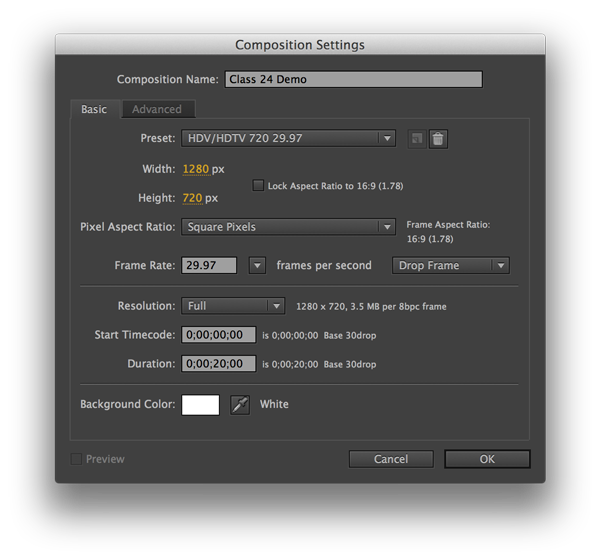
- Create New Composition
- 1280 x 720 - 24fps - 10-20seconds duration
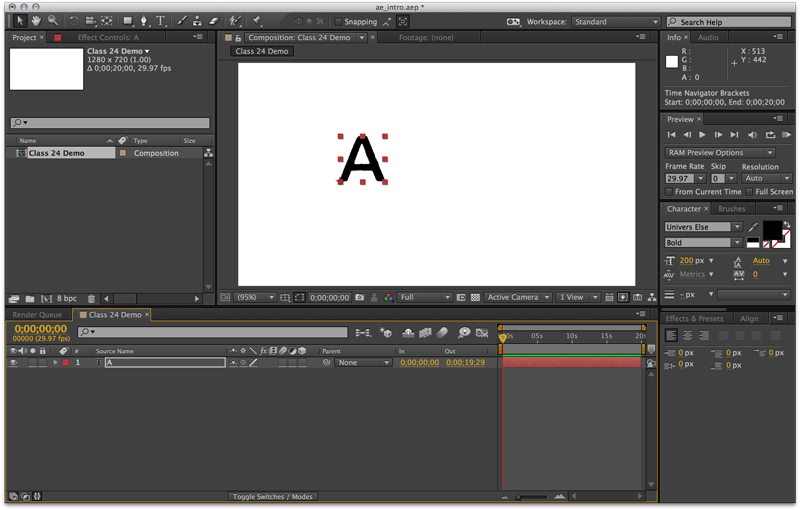
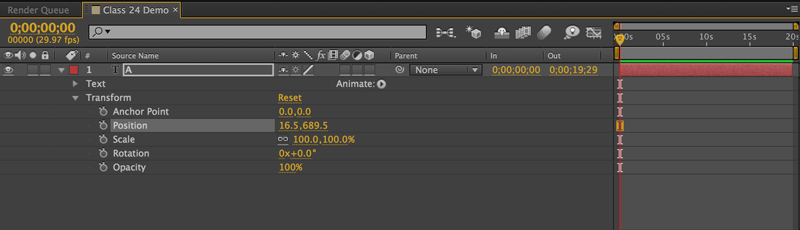
- Type Tool - Letter (refer to storyboards from Class 23)
- Position Property
- Timeline and Setting Keyframes
- Movement within video frame, hitting edges
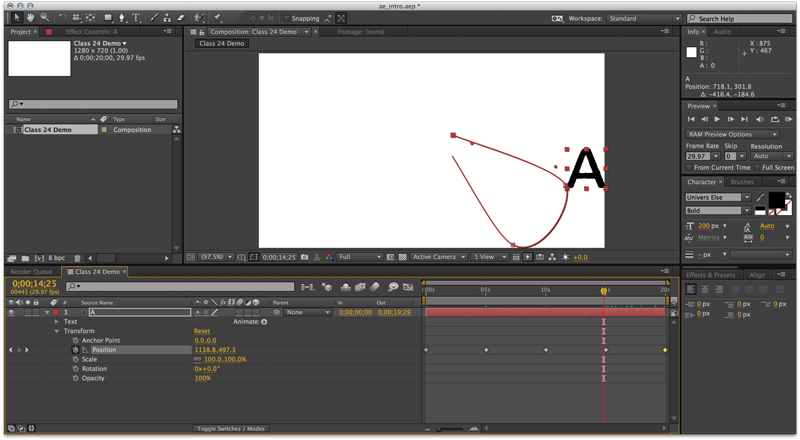
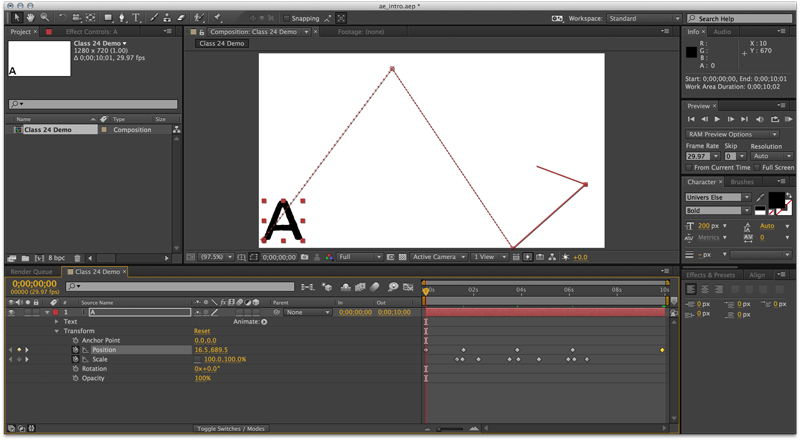
- Scale Property - to Squash and Stretch
- Scale Property unconstrained vs constrained proportions
- Keyframe Interpolation - bezier vs. linear
- Speed Interpolation - Easing or "Slow In" "Slow Out"
- RAM Preview

- Create New Composition
- 1280 x 720 - 29.97fps - 10-20seconds duration
- Simplified Walk Cycle
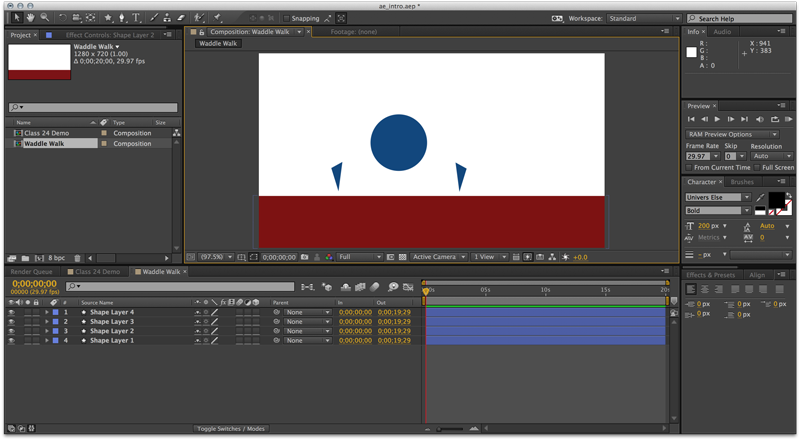
- Shape Layers
- 'Body' & 'Legs' & 'Ground'
- Simplified forms and basic repeated motion
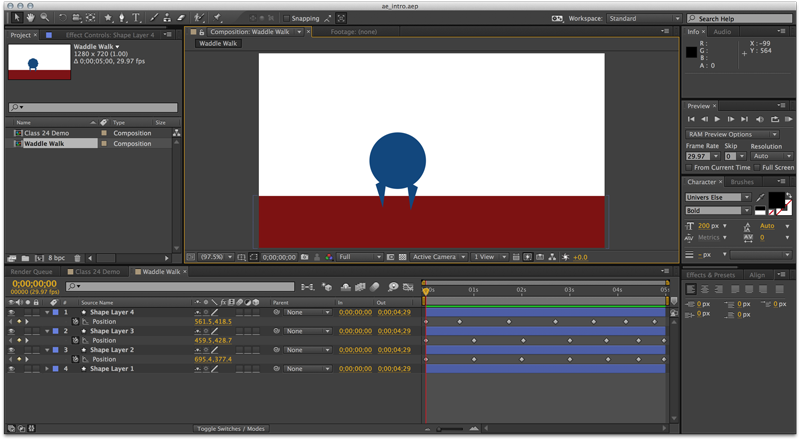
- Position Property - Up/Down & Squash/Stretch
- Keyframe each layer
- Rotation Property
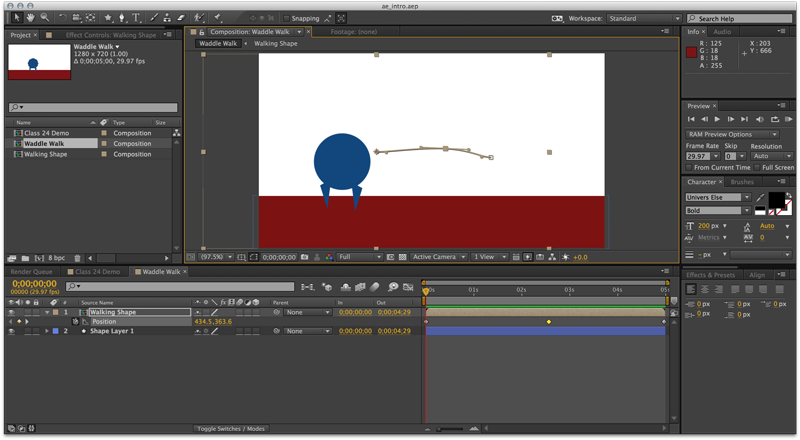
- Motion Arcs
- Parenting and Controlling Groups
- Precomposition - nesting action
- Move Across Frame - Position Property
- Centered in Frame, Other Objects Move Past w/ Position Property
- Repeated Action, Cycles & Loops
Project 4 Intoduction
Project 4 will incorporate elements of your previous work. It will also give you an opportunity to simulate game play action through 2D animation. After the project introduction, you may begin working on the project. However, the first demonstration for strategies related to the specific expectations of the project will be given in later class sessions.
- Animation Demonstration and Project Review
- Project Work Session