Monday June 12
- Class 16
Drawing Exercise - Value/Tonal Drawing- Project 2 Due
- Critique and Discussion
- Break
- Class 17
- Drawing Exercise - App Icon
- Intro Project 3: Interface
- Break
- Class 18
- Work Session and Individual Meetings
- Review Project 3 Guidelines
- Assignments:
- Project 3 Design Development
Class 16
Project 2
During this class session you will submit your Project 2 work. Use the dropbox to submit both a PDF and PNG. These are required for completing the project and will basically be different formats of the exact same file.
Critique process will be as follows:
- Form groups of 3-4 people
- 1 person in group is responsible for taking notes
- Works will be projected individually
- Discuss in your group and take notes:
- Technical: Format/Layout Presentation, Repeating/Tiling, Spatial Layers
- Aesthetic: Design Principles, Visual Style and Relationship between Elements, Use of Color, Pattern/Tiling
- After Group Discussion, Full Class Discussion Will Follow
- Works will be projected again
- Using Notes, Groups will Share their Feedback with Class
Class 17
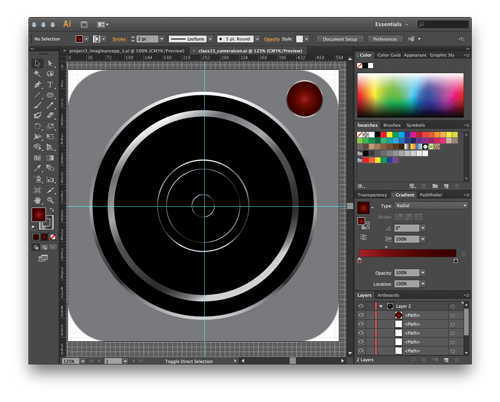
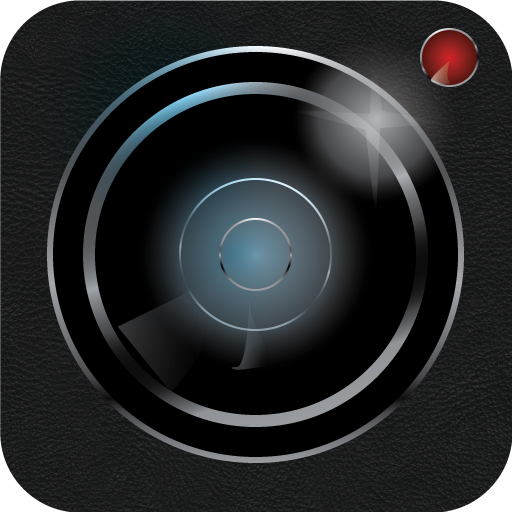
Camera App Icon
- Work Files and Resources
- Demo based off of online tutorial
- Basic app design process
- Use only Illustrator and achieve similar result
- other online tutorials exist and can be useful process references
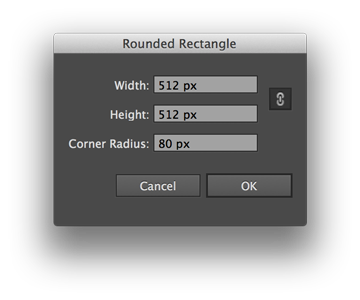
- Rounded Rectangle with 80px curved edge
- Add and duplicate circles with stroke gradient for most shapes
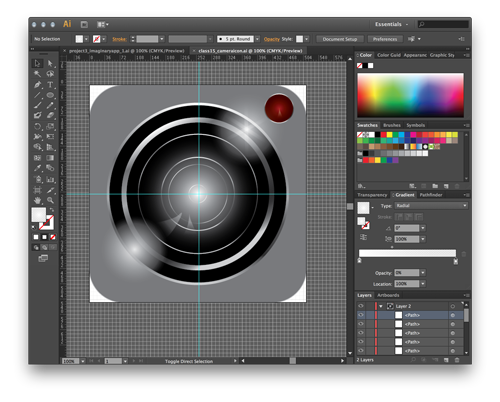
- Add reflections and highlights using gradient with white and transparency
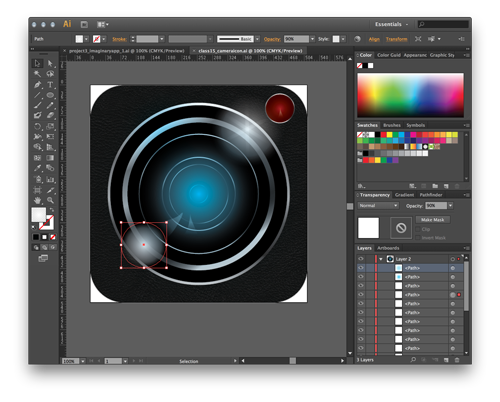
- Add texture using clipping mask and transparency
- Add lens glass color as overlayer with gradient and transparency
Project 3 Introduction and Preliminary Work
Information can be found on the Project 3 Page and will include a number of related examples:
- Title Screen References
- A large percentage of the examples there come from the following pages: TitleScream and a Game Title Tumblr
- Related Title Sequences (animated etc) can be screened here
Following the project introduction and references, you should begin concepting for Project 3. For some projects you may already have a title in mind. For others you will need to come up with a title to work with. When you create the logo or title graphic, you will either need to modify from an existing font set or else draw lettering by hand. We have done some related work in class, and you can revisit some example images that we looked at. The other interface elements should match the style of the logo/graphic but should be much more 'user friendly'. That means they should be easy to read and understand and not overly fancy. The background for the title screen is game dependent but could be related to the environment you developed in previous project work. Get Working!
Class 18
Project 3 Work Session
Use the remaining time to develop work for Project 3. You should begin with preliminary sketches with attention to the visual hierarchy of the title page. This means, to begin you should focus on the Logo/Title of the game.
Your project will need:
- Logo/Title Sketches & Development
- Choices of Typography and Hand Lettering Styles
- Background and general design sketches and ideas