Class 11 Tues Feb 21
- Review Class 10 Drawings
- Display Project 1 Prints
- Submit Project 1 - Digital Files
- Critique and Discussion
- Drawing Exercise - Vector Color Wheel
- Assignments:
- Reading: Manovich pp. 88-115
- Announcements:
- Scholarships: Deadline Feb 22
- Young Auditorium: Ragamala Dance Company - Wed Feb 22 7:30pm ($16.50 Student Ticket)
- Weekend Movie: Fantastic Beasts $1 w/hawkcard
- Time Wasters:
- Flat VS. Realism (let it load about 4 min) & Recap Video
Review In-Class Drawing Assignment
Work submitted from the Class 10 In Class Drawing assignment are available online. We will take a few minutes today to look through the submissions.
Project 1 - Character
For this class session, your work should be available as a digital print. The prints should be hung on the wall in the lab. Use clips and pins that are available in the studio. As you are hanging work, spend a few minutes looking at the other projects.
The Project will be submitted today through the D2L dropbox.
Project 1 Final Work Session and Submission
Submit your work in the formats PDF and PNG.
- PDF has likely already been made (for printing etc), but to review:
- Your work file was an Illustrator Document (extension '.ai')
- File -> Save As
- Choose PDF
- Name file : 'lastname_project1_title'
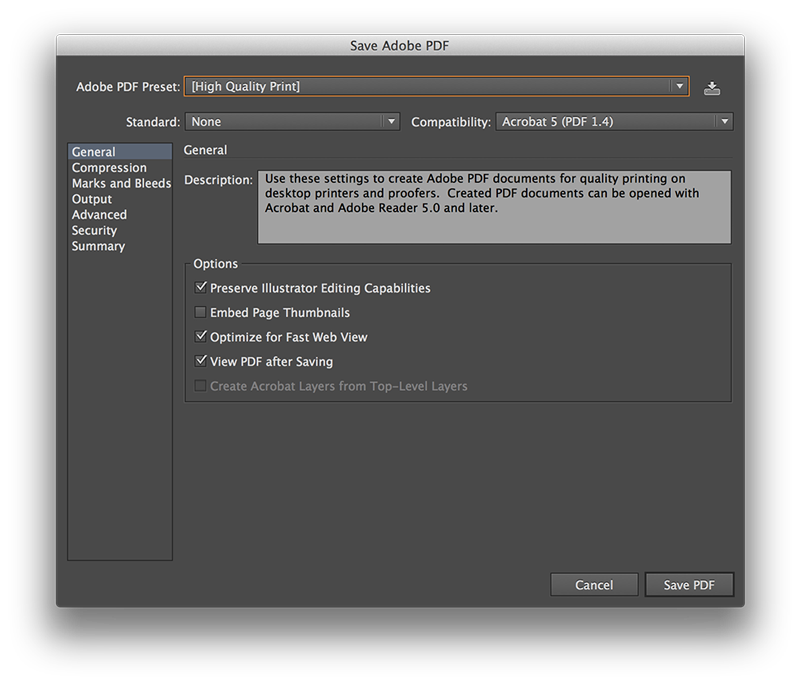
- Choose PDF settings starting with 'High Quality Print'
- Uncheck 'Preserve Editing Capabilities'
- Then Save
- PDF will be generated from the Illustrator Document
- PDF will be a file you submit, and also the version that is to be printed
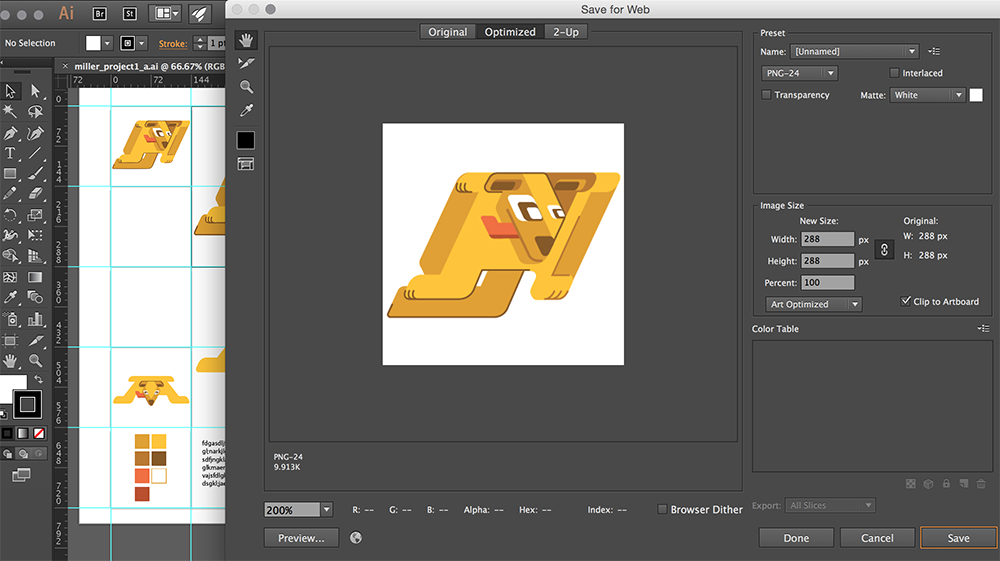
- You also need to create a 'Web Safe' version
- Using the multiple artboards in the layout template will make this more efficient
- Click on the artboard with the most detailed/most finished version
- The artboard boarder should appear a bit darker, indicating that is the active artboard
- File -> Save For Web
- Choose PNG-24
- Name file : 'lastname_project1_title'
- Unselect Transparency - you want a white background
- Art Optimized
- 72ppi
- Then Save
- This file should be named the same as the other, they will have different file extensions because you've used different file formats
After exporting both images, put them in the D2L dropbox. It is expected that you will turn in two images online in order to complete Project 1.
Project 1 Critique and Discussion
After the work is collected, we will be able to use both the printed and digital versions of your artwork for critique and discussion. The PDF and PNG files will be loaded for viewing and you can refer to the physical prints on the wall as needed. Topics for critqiue and discussion:
- Project Development and Final Versions
- Use of Vector Graphics
- Illustration and Character Style
- Design Principles in Character Design (Unity/Harmony, Balance, Scale/Proportion)
- Use of Shape
- Use of Color
- Visual Relationships between Color, Shape, and Object
- Inventiveness and Creative Approach
We will view each work individually with time for the designer responsible to provide some information about the work. Then, the other designers can offer comments, feedback, and questions. The "golden rule" for critique: 'give the sort of feedback that you would also want to receive' in order to improve my work and develop visual design skills.
After the critique and discussion session as been completed for all work submitted, the class session will end.
Drawing Exercise
Illustrator Color Wheel
As we become more comfortable with our software tools and design principles, we should begin to focus some attention to how color displays. Although every display doesn't treat color exactly the same way, we can still approach the use of color as an important aspect of how a digital drawing functions aesthetically. The beginning of this is to look at some color systems.
Illustrator is geared towards Print Design - its primary industry use. Because of this it is set up to handle CMYK Color. CMYK is a subtractive color system that comes from physical print proceses where ink is layered on paper. It stands for Cyan Magenta Yellow Black - when you add Cyan/Magenta/Yellow then you will get black. A typical screen display or website is geared more towards RGB Color. RGB is additive color - where adding colors together will become white. It stands for Red Green Blue and is more related to how we see light.
We will create a color wheel in Illustrator that uses CMYK color. A demonstration and walk through will be given in class as you work on your color wheel.
- Horizontal/Landscape Document
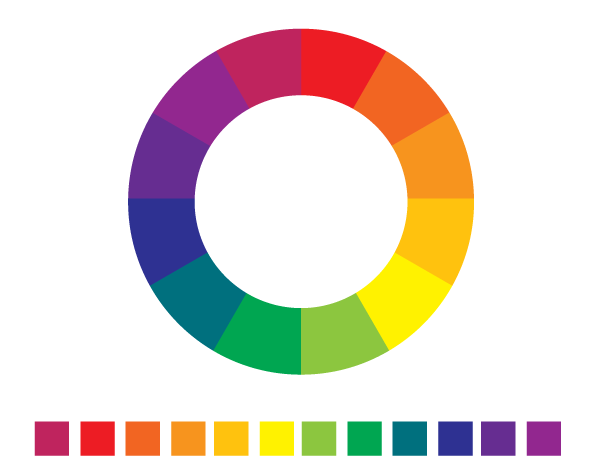
- 12 small squares, evenly distributed at the bottom
- Fill Primary Colors in every third square (Red, Yellow, Blue)
- Some CMYK values will be given in class
- Fill Secondary Colors by calculating CMYK values
- Fill Tertiary Colors by calculating CMYK values
- As part of the exercise, try to figure it out without using color guides or swatches
- Label and Lock your color swatches layer
- Create 2 concentric circles centered on the page
- Select both circles and Exclude with Pathfinder tool
- Create a line from top to bottom, use Align tool to center
- Duplicate line path from the Layers Panel
- Rotate line path 30%
- Repeat Duplicate/Rotate until you have 12 sections (like a clock)
- Group all lines
- Select lines group and circles, then Divide with Pathfinder tool
- Direct select each shape and fill with eyedropper from your swatches
Following the exercise, try opening the Color Guide Panel and selecting one of your colors. You will see that the color is displayed as a swatch with other colors that relate to it in different color systems. Color systems are often chosen to create a sense of harmony in a design. Colors that don't work together visually usually create tension or disharmony. Three color systems of note for us this semester are : Complementary Color, Analagous Color, Monochromatic Color. Other tools for examining color systems are Adobe Kuler and Color Lovers.
Other Misc Fill Info
- Backgrounds and Pattern
- Under Swatch Libraries - Graphic Dots etc
- Become a "Fill" that is more than just solid fill color
- Commonly used for Texture or Pattern overlay
- Transparency or Blend Modes to adjust appereance
- Or create own solid color shape and repeat in background
- Consider how composition can relate to portrait
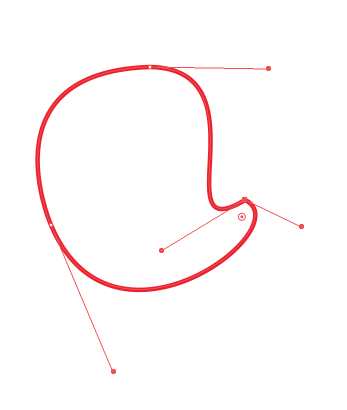
- Object - > Pattern - > Make : to create a pattern swatch from whatever shapes are selected